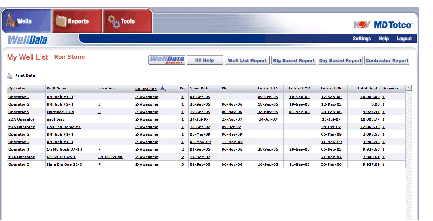
My Well List
The initial screen displayed after logging into WellData
is the My Well List screen. It
is a listing of all the wells selected in the Well
List Settings or Rig List Settings
(see See Settings
for details). The columns that are displayed on the My
Well List screen are managed in User
Settings (see See
Settings). To return to this screen, click Wells
> My Well List.
The following actions are be available based on user settings:
- Click a column heading once to sort text and numeric
columns in ascending order, and date columns in descending order. Click
the same column heading a second time to reverse the sorting order.
- Click any underlined link to view the Well
Summary screen for the associated well.
- Click Latest ETS
date in a well row to open the associated Tour Sheet Report.
- Click Latest EMR
date in a well row to open the associated Morning Report.
- Click WellData
RealTime to display well information in real time.
- Click RT Help
to display help content specific to WellData RT.
- The Well List Report,
Rig Based Report, Day
Based Report, and Contractor Report
are also accessible by clicking the Reports
tab. See See
Reports.